
Nifty Project Management Review: Pricing, Features & Competitor Comparison
This guide examines Nifty’s all‑in‑one workflow platform, its flat‑rate pricing, and how it stacks up against key rivals. Nifty positions itself as a single hub for chat, tasks, documents, time tracking, and portfolio oversight—designed to reduce tool sprawl and keep teams aligned. You’ll find practical explanations of what Nifty offers, how its pricing works, which integrations matter, and where it excels or falls short for different team needs. A free plan is available, and paid plans include a 14‑day trial for those who want to test the full feature set before committing.
What Is Nifty PM?
Nifty PM is an all‑in‑one workflow and collaboration platform intended for individuals and teams who want to manage tasks, documents, and conversations within a single environment. The core idea is to replace a patchwork of separate apps with a unified space that handles task management, time tracking, document sharing, and portfolio oversight. Teams can migrate projects from tools like Asana, ClickUp, Jira, and Trello, enabling smoother transitions without steep learning curves.
Core Features That Set Nifty Apart
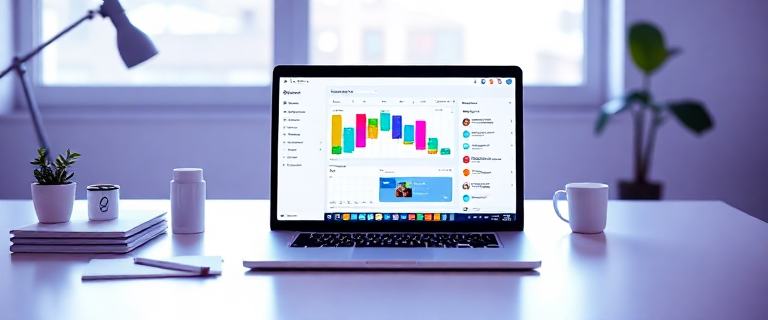
At its core, Nifty blends multiple capabilities into one cohesive workspace. Visual Kanban and Scrumban boards help you track work as it moves from To Do to In Progress, with adaptations possible for teams blending Scrum and Kanban workflows. A timeline view with Gantt‑style milestones shows dependencies and critical dates, making long‑range planning more transparent. Time tracking is built in, with a timer and reports that let teams log hours against tasks for budgeting and workload planning without leaving the platform. Projects can be organized into portfolios for hierarchical oversight across departments or regions, providing a centralized view of progress, time, and delivery status across multiple initiatives. Documents and files live in native Docs and Files, with Google Drive integrations to maintain versioning and access in one place, including inline comments to capture feedback directly on artifacts. A broad set of project views—Dashboards, Roadmaps, Calendar, Swimlane, Timeline, and more—offers multiple angles to monitor progress and deadlines, while real‑time chat and discussions keep conversations anchored to specific projects, reducing the need to switch between apps.
Pricing Tiers & What You Get
Nifty uses a flat‑rate pricing model designed to scale with team size, complemented by a free plan that lets you explore the platform. A 14‑day free trial is available for paid plans if you want to evaluate the full feature set before upgrading. The core flat‑rate tiers and their approximate annual and monthly prices are as follows, along with what each tier unlocks:
The Free plan lets unlimited users join, but limits you to 2 active projects and 100 MB of storage. It includes core collaboration features but confines project count and storage, making it practical mainly for testing or very small experiments.
The Starter plan is $39 per month when billed annually (or $49 when billed monthly). It supports up to 10 users, 100 GB of storage, 40 active projects, and unlimited guests and clients. Core inclusions cover time tracking, budget tracking, custom fields, and basic reporting, making this tier suitable for small teams beginning formal project management in Nifty.
The Pro plan costs $79 per month when billed annually (or $99 monthly). It accommodates up to 20 users, 500 GB of storage, unlimited active projects, and unlimited guests and clients. It adds cross‑project overviews, file proofing, and workflow automations to help scale processes beyond Starter.
The Business plan is $124 per month (billed annually) or $149 monthly. It supports up to 50 users, 1 TB of storage, unlimited active projects, and unlimited guests and clients. This tier introduces advanced governance features like custom roles, Microsoft SSO, and Open API access for deeper integrations and IT‑level control. It’s a common choice for growing teams with more complex workflows.
The Unlimited plan is $399 per month (billed annually) or $499 monthly. It includes unlimited users, unlimited storage, unlimited active projects, and unlimited guests and clients, plus dedicated success management and stronger security controls. This is the fully scaled enterprise option designed for large organizations needing maximum headroom and governance support.
One notable aspect of Nifty is its flat‑rate approach, which contrasts with per‑user pricing used by many competitors. The flat rate can be cost‑effective for mid‑sized teams that fit within the plan caps (for example, Starter up to 10 users, Business up to 50 users). However, teams that grow beyond plan limits or require features tied to higher tiers can face “over‑provisioning” costs, as the per‑seat price would not apply and capabilities may require stepping up to a higher tier.
Integrations That Expand Nifty’s Power
Integrations widen Nifty’s usefulness by connecting with the tools teams already use. Notable integrations include Google Drive for file attachments and document management, Slack for notifications and updates, GitHub for linking code activity with project work, Zoom to schedule and launch meetings from within Nifty, and collaboration tools like Miro and Typeform for idea capture and form data. Microsoft 365 also integrates to keep familiar productivity workflows within reach. These connections support common use cases such as file syncing, team notifications, code collaboration, and meeting coordination, helping teams preserve existing workflows while centralizing work inside Nifty.
Pros & Cons: Is Nifty Right for Your Team?
Pros
Nifty’s all‑in‑one design reduces tool fragmentation by bringing tasks, documents, chat, time tracking, and portfolios into a single workspace. The flat‑rate pricing offers budgeting predictability as teams scale, with clear progression from Starter to Pro/Business as needs grow. Onboarding is straightforward, and the platform provides multiple project views to accommodate different stakeholder preferences. Built‑in time tracking and reporting support budgeting, utilization, and performance insights, all from within one tool.
Cons
The Free plan is notably restrictive, which can hinder small teams that need robust collaboration space. Some users report UI quirks around calendar filtering, and as a cloud‑based tool, occasional slowdowns can occur. The base feature set lacks built‑in printing and PDF annotation, and customization options in the free tier are limited, which may be a hurdle for teams seeking tailored workflows without upgrading.
Nifty vs Competitors: A Feature‑by‑Feature Look
When comparing Nifty to ClickUp, Smartsheet, and Asana, the choice often hinges on pricing structure, time tracking, customization, and overall workflow fit. Nifty uses a flat‑rate model for its core plans (Starter, Pro, Business, Unlimited) with an optional per‑user path in some regions, while competitors commonly rely more on per‑user pricing that scales with team size. Time tracking is built into Nifty, whereas Smartsheet typically requires third‑party time tracking integrations; ClickUp and Asana offer time tracking via native features or add‑ons depending on plan configurations. In terms of customization, ClickUp is typically noted for deep customization and numerous views, Smartsheet emphasizes a spreadsheet‑style interface with strong templates, and Asana focuses on streamlined collaboration with solid basic customization. Nifty offers multiple project views and automation, but some users may find it less customizable than ClickUp for highly specialized workflows. Integrations are broad across all three competitors, with Nifty covering core productivity tools and supporting connections via Zapier to thousands more. User experience and onboarding are generally praised for Nifty’s approachable, unified workspace, though some teams may encounter a steeper learning curve when delving into advanced automations or governance features.
When to Upgrade: Using the Free Plan as a Trial
The Free plan provides unlimited users but restricts you to 2 active projects and 100 MB of storage, with guests and core features limited. It’s a practical way to explore task management, basic collaboration, and the core document sharing experience. Plan to upgrade when you start hitting the active‑project or storage caps, or when you need features such as time tracking, budget tracking, automation, or file proofing. Indicators that it’s time to upgrade include a growing project portfolio, a need for cross‑project visibility through dashboards or overviews, more sophisticated automation, and a desire to enable more users with full access rather than guest participation. If you anticipate sustained growth beyond about 10–20 users or require stronger IT governance, consider the Business or Unlimited plans earlier in your lifecycle.
Getting Started: Quick Setup Steps
Begin by visiting the Nifty site and signing up. A free plan requires no credit card. Create a workspace and invite team members, assigning roles (Owner, Admin, Team Member, Guest, or Custom Roles). Set up your first project with tasks and milestones, and view dependencies using a Gantt view. Enable time tracking and connect key integrations such as Google Drive, Slack, GitHub, and Zoom to mirror your existing workflows. Finally, explore the project views—Dashboard, Roadmap, Calendar, Swimlane, and Timeline—to identify which views best match your reporting and coordination needs. If you’re unsure where to start, a free trial of paid plans can help you evaluate advanced features before committing.
Best Practices for Maximizing Nifty
Use time tracking strategically so team members log hours against tasks, improving workload visibility and budgeting accuracy. Define milestones clearly and leverage Gantt charts to provide guardrails for deadlines and keep everyone aligned on critical dates. Leverage integrations to preserve existing workflows by connecting Google Drive, Slack, GitHub, and Zoom, reducing friction and centralizing collaboration. Control access with roles—Admins and Custom Roles help enforce security and ensure teammates see only what they need. When configuring calendars, test filters carefully to avoid misrepresenting data in planning views.
Avoid assuming the Free plan will suffice for ongoing collaboration; its limits can hamper real teamwork. Don’t underestimate the value of automation—Starter users may miss workflow automations and file proofing that higher tiers provide, which can significantly boost efficiency. Also, be mindful of price jumps when adding users; the flat‑rate model can require upgrades earlier than expected if your team grows beyond plan limits, so plan cost crossover points in advance.
FAQs
What is Nifty PM?
Nifty PM is an all‑in‑one project management and collaboration platform designed to keep teams aligned by handling tasks, chats, documents, time tracking, and portfolios within a single workspace.
What is included in the free plan?
The Free plan allows unlimited users but limits you to 2 active projects and 100 MB of storage, with core collaboration features like discussions, tasks, and basic file sharing.
How much does the Starter plan cost?
The Starter plan is $39 per month when billed annually (or $49 per month if billed monthly) and supports up to 10 users, 100 GB storage, 40 active projects, and unlimited guests & clients. It includes time tracking, budget tracking, and custom fields.
What integrations does Nifty support?
Nifty supports Google Drive, Slack, GitHub, Zoom, Miro, Typeform, Microsoft 365, and more, enabling you to attach files, receive notifications, work with code, and schedule meetings from within Nifty.
How does Nifty compare to ClickUp?
Nifty offers a flat‑rate pricing model with a set number of users per tier, while ClickUp generally uses per‑user pricing and emphasizes deeper customization and a broader set of views. Time tracking and automation depth can differ, so the best choice depends on whether you prioritize budgeting predictability and simplicity (Nifty) or extensive customization and flexibility (ClickUp).
Getting the Most Value: Quick Setup Checklist
Begin with the free plan to explore the interface and core features. Set up a small pilot project to validate task management, timeline planning, and time tracking. Connect essential integrations (Google Drive, Slack, GitHub) to mirror your current workflow. Define roles and permissions to control access and collaboration dynamics. Test multiple project views (Dashboard, Roadmap, Calendar, Timeline) to identify which views your team will rely on for reporting and coordination. If you anticipate growth, consider planning a move to a higher tier as needs expand.
Conclusion: Is Nifty the Right Fit for Your Team?
Nifty presents a compelling all‑in‑one solution for teams seeking to unify task management, collaboration, time tracking, and document sharing. Its flat‑rate pricing can simplify budgeting for mid‑sized teams, and the breadth of project views and integrated features supports a wide range of workflows—from agile software development to marketing campaigns and client work. However, the Free plan’s limits and the pricing jumps when expanding team size are important considerations. If you value a predictable pricing model and a centralized collaboration hub, Nifty is worth trying. If you need deeper customization, more native analytics, or a broader native integrations catalog, you may want to compare with ClickUp, Smartsheet, or Asana before committing.