Uber Eats on Amazon Prime: How to get $0 delivery and $20 off your first two orders
Prime members in the United States can now order Uber Eats directly through Amazon’s platform—whether you’re using the Amazon Shopping app or Amazon.com. The benefit provides $0 delivery fees on qualifying Uber Eats restaurant deliveries of $25 or more when you place orders through Uber Eats on Amazon. It does not apply in the Uber or Uber Eats apps. Activation and use hinge on an active U.S. Prime membership, and the experience is designed to be seamless: you sign in with your Amazon credentials, browse nearby restaurants, and pay with a payment method saved to your Amazon account.
When you first try Uber Eats on Amazon, you’ll be prompted to allow Amazon to share information needed for the experience. The Uber Eats on Amazon experience is not connected to any existing Uber Eats account you might have, and your prior Uber Eats activity won’t carry over to this channel. If your Prime membership ends, access to Uber Eats on Amazon ends as well; reactivating Prime can restore the benefit if the required consent remains in place.
How the benefit works
The core benefit is straightforward: Prime members pay $0 delivery fees on qualifying restaurant delivery orders of $25 or more when ordering through Uber Eats on Amazon. The ability to choose from hundreds of thousands of restaurants reflects Uber Eats’ broad network, which reaches nearly 10,000 U.S. cities and towns, offering a wide mix of national favorites and regional options.
Key details to know include that the benefit is available to all Prime members, including Prime for Young Adults and Prime Access, as long as the membership is active in the U.S. You don’t need a separate Uber Eats account or login; you simply use your existing Amazon credentials and an Amazon-saved payment method. Delivery updates come from both Amazon (via email and push notifications) and Uber Eats (final order confirmation).
Important exclusions apply: the offer covers restaurant delivery orders only and does not extend to grocery delivery, rides, or pickup orders. The benefit is activated and used by ordering through Uber Eats on Amazon, not through the Uber Eats app or Uber app.
Additionally, the $25 minimum for a $0 delivery is measured with care: the minimum is calculated after any other qualifying discounts or promos are applied, but before taxes and fees. This nuance matters in real-world use if other promos reduce the post-discount total below $25 before taxes and fees.
To maximize value, remember the 14-day window tied to the $20 off promotion starts when you place your first eligible Uber Eats order through Amazon, and the offer expires on November 18, 2026, at 11:59 PM Pacific Time (whichever comes first). If you schedule an order in advance, the delivery date must still be before the expiration date to qualify for the $20 off.
The $20 off promotion: details and timing
To celebrate the new partnership, Prime members can receive $20 off each of their first two eligible Uber Eats orders of $25 or more during the first 14 days of eligibility. Each order must meet the $25 minimum, calculated after other qualifying discounts or promos are applied but before taxes and fees, and taxes/fees still apply. The offer is valid only for Prime members placing orders from qualifying U.S. restaurants through Uber Eats on Amazon, and it applies to the first two orders placed during the eligibility period. There are limits of two redemptions per user, and exclusions may apply. The scheduling nuance is important: orders placed ahead of time must be scheduled for delivery before the expiration date to qualify.
Additionally, Prime Visa cardholders can earn 5% back on Uber Eats orders through December 5, 2026, adding another layer of potential savings for eligible cardmembers. Prime members can also expect exclusive Uber Eats offers accessible only through Amazon, with the potential to save more than $175 per year when combined with other Prime perks.
For context, the offer details note that an order minimum of $25 is calculated before taxes and fees, and the $20 off applies to eligible first two Uber Eats orders placed through Uber Eats on Amazon during the 14-day eligibility window. Orders placed ahead of time must be scheduled for delivery before the expiration date to qualify, and the offers are subject to change or cancellation at any time, including for fraud or system issues.
Who is eligible and how to maximize value
The Uber Eats on Amazon benefit is available to Prime members with an active U.S. Prime membership. In addition to standard Prime members, this includes Prime for Young Adults (ages 18–24 in higher education) and Prime Access members (government assistance recipients and income-verified customers). Prime members can share a broad range of Prime benefits—including waived delivery fees on eligible Uber Eats orders—with one adult in their household through Amazon Family. This sharing capability can enhance value for households looking to consolidate savings under one Prime membership.
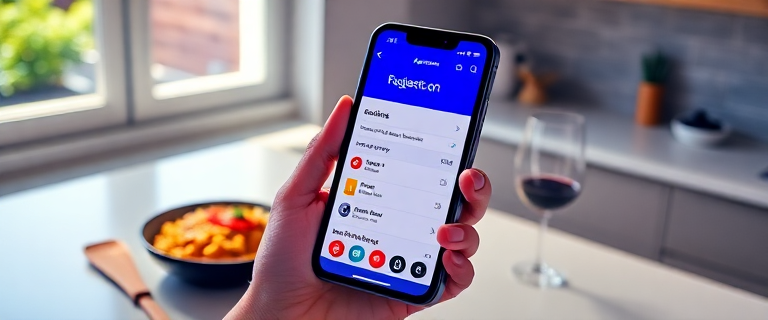
To get started, Prime members should visit amazon.com/ubereats or open the Amazon Shopping app and search for “Uber Eats.” Sign in with existing Amazon credentials, browse nearby restaurants, and place orders using saved Amazon payment methods. Amazon will handle delivery status updates via email and push notifications, while Uber Eats will send a final order confirmation.
For readers who want a quick comparison: using Uber Eats directly without the Amazon portal typically does not include the waived delivery fee or the Amazon-tied promotional offers. The Amazon path provides a distinct set of savings tied to Prime, including the $0 delivery fee and the two $20-off orders, plus potential ongoing offers through Prime Visa and exclusive Amazon Uber Eats deals.
How much can you save?
Amazon’s materials emphasize that Prime members may see substantial savings through the combination of $0 delivery fees and exclusive offers. In particular, Prime-exclusive offers can potentially save more than $175 per year, with additional context noting that Prime members saved over $650 on delivery fees and fuel in a prior period. The total savings will vary based on order frequency, restaurant options, and how promotions stack with other Prime benefits.
When you’re evaluating value, compare the cost of Prime itself with the potential annual savings from Uber Eats on Amazon. If you routinely order restaurant delivery and often incur delivery fees on Uber Eats, the Amazon channel can substantially tilt the balance toward “worth it” for many households.
Cancellation, opt-out, and important fine print
You can disconnect Uber Eats from your Amazon Prime setup at any time. To do this, go to Your Account on Amazon, open “Manage apps & services with data access,” and remove the Uber Eats connection. Doing so ends the benefit immediately. If you end your Amazon Prime membership, you’ll lose access to Uber Eats on Amazon, and reactivating Prime later can reactivate the benefit provided the consent remains in place.
Several practical constraints apply: the benefit is limited to restaurant delivery orders through Uber Eats on Amazon, not groceries, rides, or pickup orders. The order minimum for $0 delivery is $25, calculated after other discounts and promos (and before taxes and fees). Taxes and other fees still apply. The $20 off promotion is valid only on the user’s first two orders placed through Uber Eats on Amazon during the eligibility period, with a 14-day window that begins when the user places their first eligible order and expires on November 18, 2026, at 11:59 PM Pacific Time.
Other terms may apply, and offers can be changed or canceled at any time. To ensure accuracy, readers should review the official Uber Eats on Amazon terms for the latest details on eligibility, stacking rules, and expiration specifics.
Getting started: a quick guide
To begin taking advantage of Uber Eats on Amazon, Prime members should go to www.amazon.com/ubereats or open the Amazon Shopping app and search for “Uber Eats.” Sign in with your existing Amazon account, browse nearby restaurants, and place orders using your saved Amazon payment method. You’ll receive delivery updates by email from Amazon and a final confirmation from Uber Eats after placing an order. The process is designed so you don’t need a separate Uber account or login, and benefits are tied to the active Prime membership.
For those who want to plan ahead, remember the 14-day window for the $20 off promotion starts with your first eligible Uber Eats order placed through Amazon and ends on November 18, 2026, at 11:59 PM Pacific Time. If you choose to schedule orders, ensure the delivery date is set before the expiration to qualify for the discount. And if you hold a Prime Visa card, you can also enjoy 5% back on Uber Eats orders through December 5, 2026.
Bottom line
Ordering Uber Eats through Amazon gives Prime members a practical, straightforward way to save on delivery fees and unlock promotional savings within the Prime ecosystem. The combination of $0 delivery on $25+ orders, a $20-off incentive on the first two eligible orders during the first 14 months (or days) of use, and additional Prime perks can add up to meaningful yearly savings for frequent Uber Eats users. If you’re already a Prime member, this channel offers a seamless way to enjoy restaurant delivery without juggling a separate app or login, while also keeping you within the Prime benefits you already value.
Ready to start saving? Prime members can sign up or sign in and begin ordering from Uber Eats on Amazon today.